Custom MCP Servers: How I Bill $3,600/Month Wiring AI Into Client Systems
An operations manager was pasting shipment numbers into ChatGPT eight hours a day. I built a connector so the assistant fetched them itself. That build became a $1,400-a-month retainer, and eight more followed.
The short answer
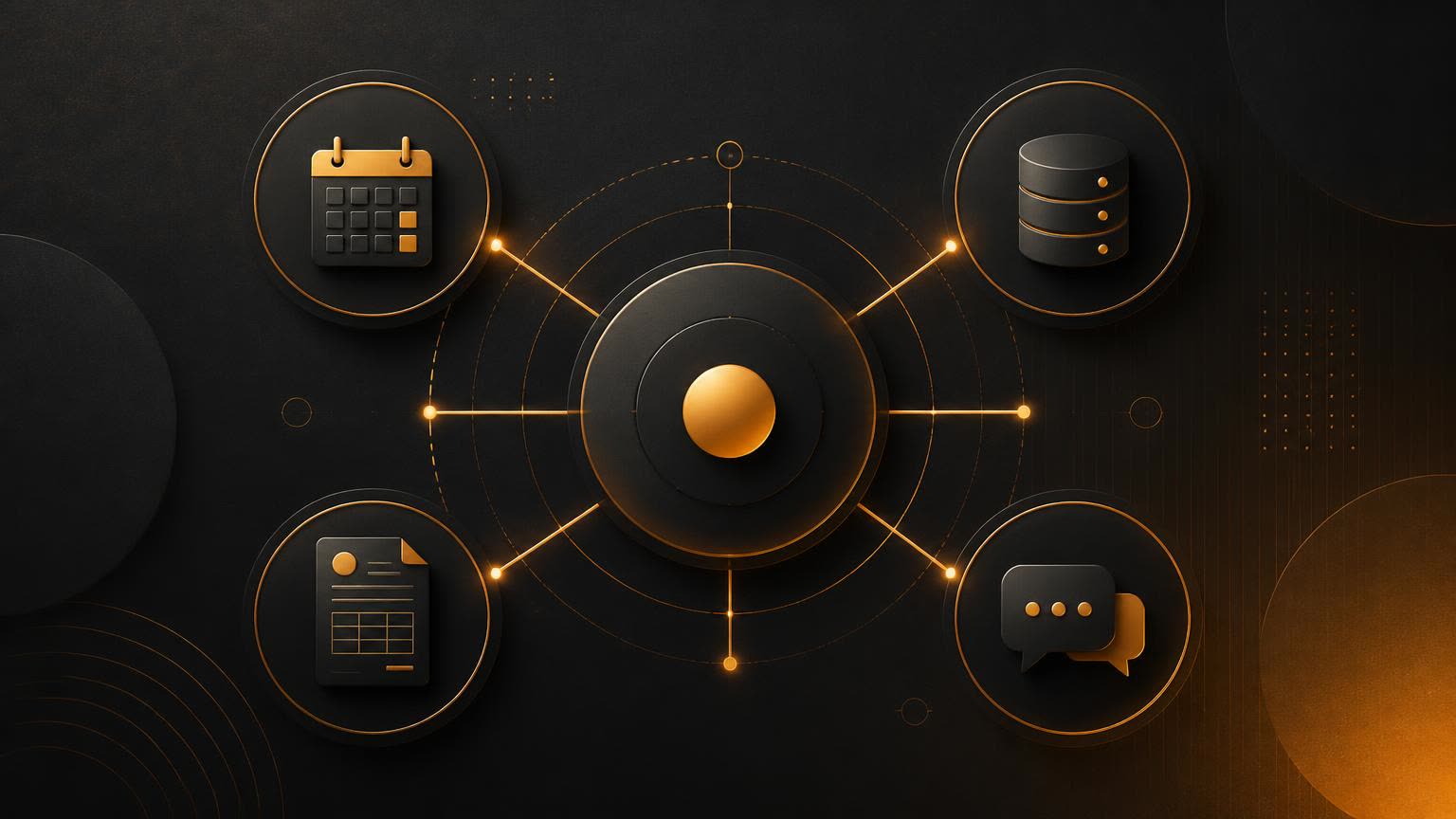
A custom MCP server exposes a company's own systems to an AI assistant as a small set of named, read-only tools with column-level allow-lists and full call logging. Sold as a service it prices at $2,500 for a single-system build, $4,200 to $6,000 for multi-system, plus a $600 to $1,400 monthly maintenance retainer. Builds take about five days when the target system has a documented API.
Key takeaways
- Sell the symptom, not the protocol: clients buy the removal of copy-paste work, not the Model Context Protocol.
- Ship read-only first. Writes belong in a later phase as drafts a human confirms.
- Every tool description needs a 'do not use this for' clause — it nearly eliminated wrong-tool calls.
- Cap servers at about twelve tools; beyond that the assistant picks the wrong one.
- No documented API means no fixed-fee build. A CSV-export workaround cost about 30 unbilled hours.
- Price the build low and keep the retainer: $2,500 plus $700 a month beats a $9,000 one-off by month six.
In March a logistics company hired me for something I had never sold before. Their operations manager had ChatGPT open eight hours a day, pasting shipment numbers into it by hand, then pasting the answers back into their internal tracker. She wanted the assistant to "just look it up itself." Four weeks later it did, through a custom MCP server I built and now maintain for $1,400 a month.
Since then I have shipped nine of these. Six are on retainer, three were one-off builds, and together they bring in $3,600 a month recurring on top of build fees between $2,500 and $6,000. This is the whole playbook: what an MCP server actually is in client language, the five-day build I run, what I charge, the security rules I refuse to bend, and the two builds that lost me money.
What MCP is, in the words I actually use with clients
The Model Context Protocol is an open standard that lets an AI assistant call tools and read data through one consistent interface. Instead of a person copying data into a chat window, the assistant is handed a set of named tools — get_shipment, search_invoices, create_ticket — and it decides when to call them.
I never open a sales call with that paragraph. Here is the version that closes deals:
"Right now your team is the integration. They read from one system, they type into another. I build a small connector that lets your assistant read those systems directly, with rules about what it can see and what it is never allowed to touch. You keep using the same chat window. It just stops asking you to fetch things."
That framing matters more than the code. Every client who said yes said yes to removing copy-paste work, not to a protocol.
Why this became sellable in 2026 and not 2024
Three things changed. Assistants now support remote MCP servers natively, so there is nothing to install on a laptop. Auth patterns settled on OAuth-style token exchange, which means an IT team has something familiar to review. And enough companies have a year of AI usage behind them to know exactly which repetitive lookups are burning hours — they arrive with the use case already written down.
That last point is the real reason margins are good. I am not educating anyone about AI. I am wiring up a workflow they already do badly by hand.
The nine builds, and what they had in common
| Client type | What the server exposed | Build fee | Retainer |
|---|---|---|---|
| Logistics ops | Shipment lookup, carrier status, exception list | $4,200 | $1,400/mo |
| Dental group | Appointment search, recall lists (no clinical notes) | $2,800 | $600/mo |
| B2B SaaS support | Ticket history, account plan, known-issue search | $6,000 | $900/mo |
| Accounting firm | Client document index, deadline calendar | $3,400 | $700/mo |
| Ecommerce brand | Order status, returns policy, inventory counts | $2,500 | — |
Every single one is read-heavy. Seven of nine expose no write action at all, and the two that do write are limited to creating a draft — a draft ticket, a draft calendar hold — that a human confirms. That constraint is the reason none of these projects has produced an incident, and it is also the reason they are quick to build.
The pattern I look for in a discovery call
I ask one question and then stay quiet: "Walk me through the last time someone on your team had to look something up in two places to answer one question."
If the answer involves a system with an API, a person who does it more than five times a day, and data that is not medical or payroll, it is a good build. If the answer is "we would want it to update the CRM automatically," I slow the conversation down and scope the read-only version first. Every attempt I made to sell write access in phase one added two weeks of security review and no extra revenue.
The five-day build
I keep builds to a fixed week because clients pay for certainty, not hours. Here is the actual sequence.
Day 1 — Tool inventory, not code
I write the tool list before I write any code, in a shared doc, in plain English. For the logistics build it was six tools. Each entry has four lines: what it returns, what it needs as input, what it must never return, and which person's job it replaces a piece of.
That "must never return" line is what gets IT to sign off. For the dental group it read: "Never returns clinical notes, diagnosis codes, or insurance identifiers, even if asked directly." We enforced it in the query itself, selecting named columns only, rather than filtering after the fact.
Day 2 — Auth and the smallest possible connection
I connect to exactly one system and expose one tool. Nothing else. The point is to prove the token flow end to end and get an assistant to call it live on a screen share. That demo, on day two, is what makes the rest of the week feel safe to the client.
Practical notes from doing this nine times:
- Use a dedicated service account per client with its own scoped credentials. Never reuse an existing staff account, even temporarily.
- Put a hard result cap in every tool — I use 25 rows — so a vague question cannot pull a table.
- Log every call with the tool name, the arguments, and the caller. Two clients asked for that log in month one, and having it already there closed the conversation in ten minutes.

Day 3 — The rest of the tools
With the pattern established the remaining tools are mechanical. This is where an AI coding agent earns its keep: I hand it the tool spec from day one and the working tool from day two and let it produce the siblings. It gets structure right and edge cases wrong, so I review every generated query by hand, specifically checking that no tool selects * and that every input is validated before it reaches the data layer.
Roughly a third of my build time is now this review pass. I bill it as build time and I do not apologise for it — reviewing generated data access is the work.
Day 4 — Descriptions, which are the real product
An MCP tool is only as good as its description, because the assistant picks tools by reading them. My first build failed its own acceptance test because two tools sounded similar and the model kept choosing the wrong one.
How I write a tool description now
Every description has three parts: what it does, when to use it, and when not to use it. Example, close to verbatim:
search_shipments— Returns up to 25 shipments matching a reference number, customer name, or date range. Use when the user asks about the status or history of a specific shipment or customer. Do not use for aggregate questions like totals or averages; useshipment_summaryinstead.
Adding the "do not use" clause cut wrong-tool calls to near zero across every later build. It is the single highest-leverage thing in this entire playbook.
Day 5 — Acceptance test with the actual staff
I sit with the two or three people who will use it and have them ask their real questions, in their own words, while I watch the call log. On average five of twenty questions fail on the first pass, almost always because a term the staff use daily appears nowhere in my tool descriptions — "exception," "recall list," "aging." I add their vocabulary to the descriptions and rerun. That session is also the handover: they have seen it work with their own phrasing, so adoption is not a separate project.
What I charge, and why the retainer is the point
My current rate card:
- Scoping session, $450. One hour plus the written tool inventory. Credited against the build if they proceed. Seven of nine converted.
- Single-system build, $2,500. One data source, up to five read tools, auth, logging, acceptance session.
- Multi-system build, $4,200–$6,000. Two or three sources, up to twelve tools, plus a draft-write action if it survives review.
- Maintenance retainer, $600–$1,400 a month. Uptime monitoring, upstream API changes, up to two tool changes a month, quarterly access review.
The retainer is not padding. In eleven months I have handled four breaking upstream API changes, two credential rotations, and one case where a client's own schema migration silently broke three tools. Without a retainer those become emergency invoices that clients resent. With one, they are Tuesday.
I price the build low on purpose. A $2,500 build that turns into $700 a month is worth more by month six than a $9,000 build with no relationship, and it is far easier to say yes to out of a departmental budget.

The security rules I will not bend
I lost a deal over this and kept it as policy anyway.
- Read-only until proven otherwise. Writes ship in a later phase, as drafts, with a human confirming.
- Column allow-lists, never blocklists. Anything not explicitly listed is invisible. New columns added upstream do not leak.
- Scoped service credentials per client, rotated on a schedule written into the retainer.
- Full call logging, retained 90 days, exportable by the client without asking me.
- No PII beyond what the task needs. If the workflow needs a customer's order status, it does not need their phone number.
A prospect wanted the assistant to write directly into their billing system in week one. I offered a draft-and-confirm design; they went elsewhere. Six weeks later I heard the vendor who took it had an incident where a mis-parsed instruction touched live invoices. I have quoted that story in every scoping call since, without naming anyone, and it has never lost me another deal.
The two builds that lost me money
The one with no API. A property manager's core system had no API, only CSV exports. I quoted a fixed fee anyway, convinced I could work around it with a scheduled export pipeline. Freshness became the whole project: staff asked about today, my data was from last night, and no amount of tool description fixes that. I ate about 30 hours. Now my scoping call has a hard gate — no documented API, no fixed-fee build.
The one with twenty-two tools. An enthusiastic client wanted everything exposed at once. Beyond roughly a dozen tools the assistant's selection quality visibly degraded and the acceptance session turned into a three-hour debate. I refunded a third of the fee, consolidated to nine broader tools, and it worked. My cap now is twelve tools per server, stated in the proposal.
The outreach that actually books calls
I do not cold pitch MCP. Nobody searches for it. What works is pitching the symptom, to companies I can see are already using AI.
My message, roughly:
Subject: the copy-paste step in your AI workflow
Hi {name} — quick question. When your team uses ChatGPT or Claude for {specific task}, is someone still pasting data in from {their system} by hand?
I build small connectors that let the assistant pull that data itself, read-only, with a column-level allow-list and full logging. Typical build is one week. Recent one cut a logistics ops team's lookup time from about nine minutes to under one.
Worth a 20-minute look at your setup? I do a paid scoping session, credited against the build if you go ahead.
Sent to 40 operations and support leads at companies that had publicly posted about internal AI use, that produced 11 replies and 5 scoping sessions. The paid scoping line filters hard, and that is the point — free discovery calls with this audience attracted people who wanted a free architecture diagram.
Would I recommend this as an income stream?
Yes, with one honest caveat: this requires real engineering judgement, particularly around data access. If you cannot read a generated database query and tell whether it leaks a column, do not sell this yet. Build one for yourself against your own data first, break it, then look at the logs.
But the demand is unusually clean. Companies have already bought the assistants, already assigned people to babysit them, and can compute the payback themselves in a single meeting. I have never had to explain why this is valuable — only how it stays safe.
If you are starting: pick one system with a documented API, expose five read tools, write the "do not use" clause into every description, and charge for the scoping session. That is the whole business.
Frequently asked questions
What is an MCP server in plain terms?
It is a small service that hands an AI assistant a fixed menu of named tools, like get_shipment or search_invoices, so the assistant can fetch data itself instead of a person pasting it into the chat. The company controls exactly which tools exist and what each one is allowed to return.
Do I need to be a strong developer to sell this?
You need enough engineering judgement to read a database query and tell whether it exposes a column it should not. An AI coding agent can produce the repetitive tools, but reviewing data access by hand is the actual work. Build one against your own data first and read the call logs before you charge anyone.
How long does a build really take?
Five working days when the target system has a documented API: one day for the tool inventory, one for auth plus a single working tool, one for the remaining tools, one for descriptions and testing, and one for the acceptance session with staff. Systems without an API take far longer and should never be quoted at a fixed fee.
What should I charge?
My current rate card is $450 for a paid scoping session credited against the build, $2,500 for a single-system build with up to five read tools, $4,200 to $6,000 for two or three systems, and $600 to $1,400 a month for maintenance. Low build fees clear departmental budgets and the retainer carries the business.
How do I keep client data safe?
Read-only tools in phase one, column allow-lists rather than blocklists, scoped service credentials per client rotated on a schedule, full call logging retained 90 days and exportable by the client, and no personal data beyond what the task needs. Enforce limits in the query itself, not by filtering results afterwards.
Where do clients for this come from?
Nobody searches for MCP servers, so pitch the symptom instead. Message operations and support leads at companies already talking publicly about internal AI use, and ask whether someone is still pasting data in by hand. Forty targeted messages produced eleven replies and five paid scoping sessions for me.
Keep reading
AI Evals as a Service: How I Charge $3,000 to Stop Client AI Features Breaking
Most teams ship an AI feature and then have no way to know when it breaks. Here is the eval suite I build in four weeks for $3,000, the retainer that follows it, and what nine engagements actually revealed.
August 8, 2026 · 2,335 words
Agentic Commerce: How I Charge $2,200 to Make Stores Buyable by AI Agents
AI shopping agents now research and check out on customers' behalf. Here is the audit I sell for $2,200, the four things that break on almost every store, and what the numbers actually looked like.
August 7, 2026 · 2,151 words
Computer-Use AI Agents: How I Charge $2,800 to Kill Back-Office Data Entry
Computer-use agents operate screens that have no API, which finally makes the ugliest back-office typing jobs sellable. Here is the exact offer, the five-day build, the numbers from four live clients, and the failures nobody puts in a case study.
August 6, 2026 · 2,414 words