Build a Profitable AI Stack for Solopreneurs: Costs & Tools
This guide details the specific software costs required to run an AI-assisted business without overspending. We compare subscription models versus pay-as-you-go API pricing for maximum profit margins.

The short answer
The optimal AI stack for solopreneurs costs between $120 and $250 per month. This typically includes a foundational LLM like ChatGPT Plus ($20), a specialized image generator like Midjourney ($30), an automation layer like Make.com ($10), and roughly $50 in API credits for scaling content production and data processing tasks.
Key takeaways
- Subscription fatigue is the biggest threat to solopreneur margins.
- API pricing is often 70 percent cheaper than seat-based subscriptions for high volume.
- A core stack should prioritize one multi-modal LLM and one automation tool.
- Reviewing usage logs monthly prevents hidden costs from unused recurring credits.
The True Cost of a Solopreneur AI Stack in 2024
I started tracking every dollar spent on AI tools in March 2023. At that time, my monthly bill was $20 for a single ChatGPT Plus subscription. By October 2023, my monthly burn rate had ballooned to $480 as I signed up for every specialized wrapper that promised to automate my workflow. I was paying for AI copywriters, AI presentation makers, and AI video editors that I rarely used.
Building an ai stack for solopreneurs requires a balance between utility and profit margins. If you spend $500 a month but only save three hours of work, you are effectively paying $166 per hour for convenience. That is not a business strategy. It is a hobby. I had to audit my stack to find the point where the cost of the tool was lower than the value of the time saved.
Today, my core stack costs roughly $160 per month. This allows me to produce content, manage outreach, and handle customer support without hiring virtual assistants. The goal of this guide is to show you exactly where to spend your money and where to use free or open source alternatives. Profitability in the AI era is defined by your ability to keep your overhead low while your output remains high.
A profitable stack is not about having the most tools. It is about having the right combination of foundational models and automation glue. You need to account for subscription fatigue. Many tools offer a $29 monthly plan that seems cheap until you realize you have ten of them.
Foundation Tools: Selecting Your Primary LLM Subscription
The foundation of any solopreneur stack is the primary Large Language Model or LLM. In early 2023, the choice was simple because ChatGPT Plus was the only viable option. Now, you must choose between OpenAI, Anthropic, and Google. I have spent thousands of hours across all three to determine which offers the best return on investment for a solo operator.
I currently pay $20 per month for Claude Pro by Anthropic. I made this switch in late 2023 because Claude 3.5 Sonnet handles coding tasks and complex formatting better than GPT-4o. If your business relies on writing long-form guides or technical documentation, the $20 for Claude is the best money you can spend. The Artifacts feature alone saves me about two hours a week in data visualization.
ChatGPT Plus remains a strong contender if you need the mobile app or voice features. I kept my ChatGPT subscription alongside Claude for six months before realizing I was wasting $20. I now use the free tier of ChatGPT for quick mobile queries and save the paid subscription for Claude. The primary LLM is your lead employee. You should only pay for one at a time.
Google Gemini Advanced is the third option. It costs $20 and includes 2TB of Google Drive storage. If you already pay for Google One storage, this is effectively a free upgrade. However, I found Gemini less reliable for factual accuracy in blog posts. For an ai stack for solopreneurs, reliability is more important than bundled storage.
API vs Subscription: Why Your Choice Affects Profit Margins
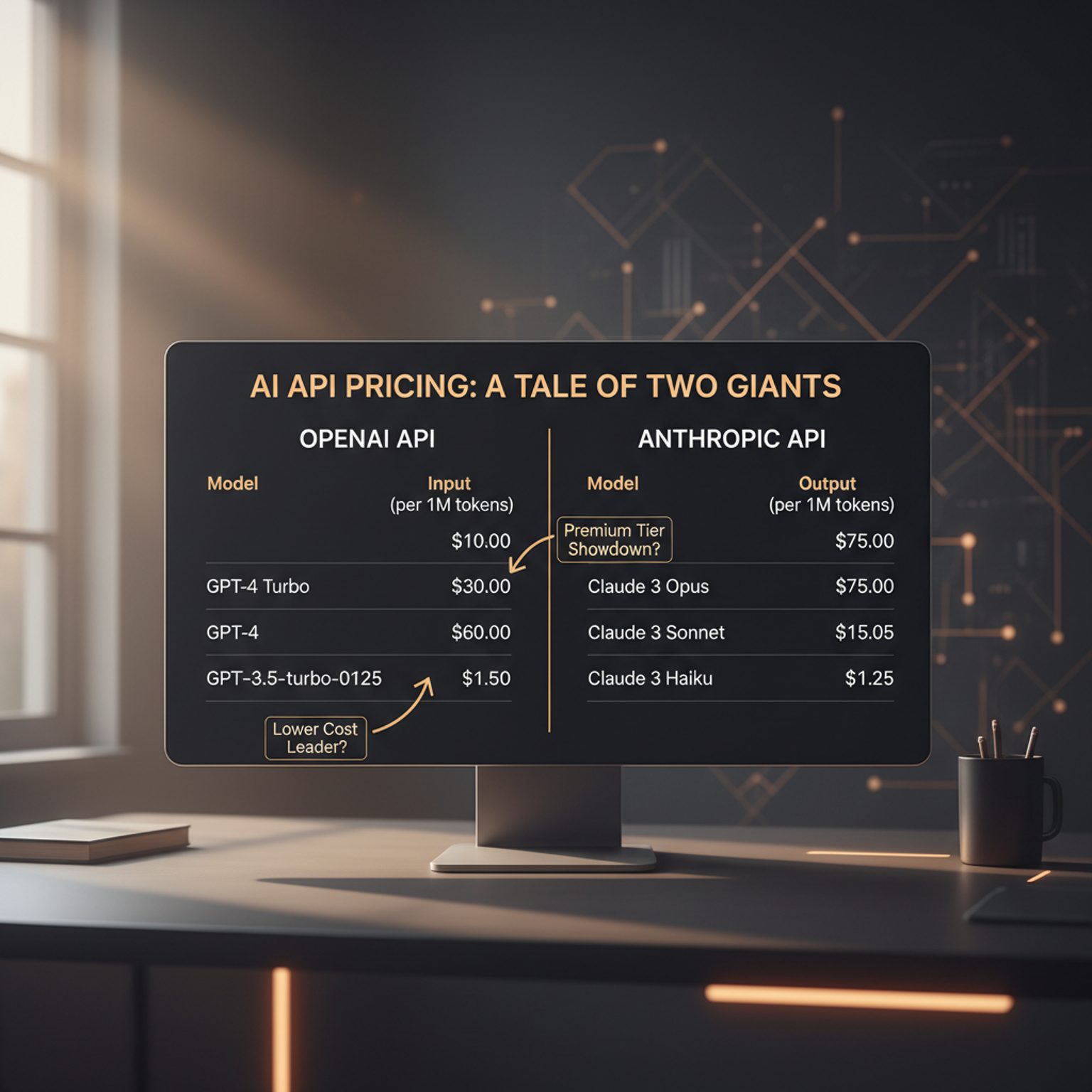
One of the biggest mistakes I made was sticking to web interfaces for everything. A subscription gives you a predictable monthly cost, but it limits your volume. An API or Application Programming Interface allows you to pay only for what you use. This transition is where a solo operator becomes a high-margin business owner.
For example, I use the OpenAI API for batch processing tasks like SEO metadata generation. If I used a specialized SEO tool, I might pay $99 per month. By using the API and a simple script, I process 500 articles for about $1.40 in token costs. I only pay that $1.40 once, whereas the subscription would charge me every month regardless of use.
API usage requires a mental shift. You are no longer paying for "access" but for "units of work." I use OpenRouter to access multiple models through a single API key. This prevents me from having to manage five different billing accounts. In July 2024, my total API bill across three different providers was $18.62. This covered all my content summaries and automated email drafting.
If you are a heavy user who hits the "message limit" on ChatGPT every day, a subscription is cheaper. If you are a light user who only needs AI for specific tasks three times a week, the API is significantly more profitable. I recommend starting with a subscription to learn the limits, then moving to API workflows for repetitive tasks.
Visual and Audio Assets: Budgeting for Creative Generative AI
Visual content is a major bottleneck for solo operators. I used to spend $150 per project on stock photos or freelance designers. Now, I allocate a specific portion of my stack budget to generative media. Midjourney is my primary tool for high-end visuals, costing $30 per month for the Basic plan.
Midjourney requires a Discord account, which some find annoying, but the quality remains unmatched for editorial photos. I use it to create every featured image for my blog. The cost per image is less than $0.05 when you factor in the 200 images I generate monthly. For video, I use HeyGen for short social media clips. This is more expensive at $29 per month, but it replaces the need for a camera setup and video editor.
Audio is the newest addition to my stack. I use ElevenLabs for voiceovers. Their $5 per month starter plan is usually enough for a solo operator making short-form content. I avoid the higher tiers because the quality difference is marginal for social media usage. Total creative AI costs should not exceed $65 per month for a standard content business.
I tried using free alternatives like DALL-E 3 within ChatGPT. While it is "free" with the subscription, the quality is noticeably lower for professional use. If your brand relies on aesthetics, do not cut corners here. A bad AI image can ruin your credibility faster than a typo.
The Glue: Automation Tool Costs and Tier Limitations
The "Glue" is what connects your LLM to your website or email. This is where most solopreneurs lose their profit margins. Make and Zapier are the two main players. I started with Zapier but quickly moved to Make because of the pricing structure. Zapier charges per task, which can get expensive if you have a high-volume business.
Make uses a "per operation" model. I currently pay $10.59 per month for the Core plan. This allows me to run 10,000 operations. A single workflow that watches my email, summarizes the message with AI, and saves it to a spreadsheet uses about three operations. This means I can run this workflow 3,333 times for $10. Zapier would charge hundreds of dollars for the same volume.
There is a learning curve with Make. It is not as intuitive as Zapier. I spent a full weekend in February 2024 learning how to use it, but that weekend saved me over $1,000 in annual software costs. When building an ai stack for solopreneurs, you must invest time to save money.
The risk with automation is "looping errors." I once misconfigured a scenario that ran 5,000 times in an hour, exhausting my monthly limit in minutes. Always set "Hard Limits" in your automation tools. If a tool does not allow you to cap your spending, do not use it for automated workflows.
Data and Research: Professional Search and Analysis Expenses
AI models are trained on old data. For a solopreneur who writes about current trends, this is a major limitation. To solve this, I added Perplexity AI to my stack. It costs $20 per month. Perplexity acts as a research assistant that cites its sources, which is critical for maintaining E-E-A-T standards.
I use Perplexity to check facts that Claude might hallucinate. I also use it to find recent statistics for my articles. Before Perplexity, I spent roughly four hours a week on manual Google searches. Now, I spend about 30 minutes. The $20 investment saves me 14 hours a month. If I value my time at $50 an hour, that is a $700 return on investment.
Another research tool I use is a custom GPT I built for analyzing PDFs. While this is included in my Claude subscription, I also use a tool called ChatPDF for extremely large documents that crash the standard LLM interface. ChatPDF has a free tier that covers most needs, so I rarely pay for the premium version.
| Tool Category | Recommended Tool | Monthly Cost | Primary Use Case |
|---|---|---|---|
| Primary LLM | Claude Pro | $20 | Writing, Coding, Logic |
| Research | Perplexity Pro | $20 | Fact-checking, Search |
| Image Gen | Midjourney | $30 | Blog & Social Visuals |
| Automation | Make.com | $11 | Connecting Apps |
| Audio/Voice | ElevenLabs | $5 | Social Media Voiceovers |
| API Usage | OpenAI/OpenRouter | $20 | Batch Processing |
| Total | $106 | High-Efficiency Stack |
Mistakes I Made: Overspending on Specialized SaaS Apps
In mid-2023, I was paying for a tool called Jasper at $59 a month and another called Copy.ai at $49 a month. Both tools are essentially wrappers for the OpenAI API with a better user interface. I realized I was paying over $100 a month for a "skin" that I could replicate inside a standard $20 ChatGPT subscription by using better prompts.
I also fell for the "AI Video" hype early on. I paid $120 for a yearly subscription to a tool that claimed to create viral videos from text. The output was generic and unusable for my brand. I could not get a refund. This taught me to never buy yearly plans for AI software. The technology moves too fast. A tool that is top-tier in January might be obsolete by June.
Another mistake was paying for "AI Detection" tools. I spent $15 a month on a popular detector only to find it flagged my own human-written work as AI. These tools are notoriously inaccurate. Instead of paying to "hide" AI, I focused on using AI as a collaborator and adding my own personal stories and data which no AI can replicate.
I now follow a "Rule of Three" before buying a new tool. I must need the feature for three different projects, I must have tried to do it for free first, and I must be able to cancel the subscription in 30 seconds. If a tool makes it hard to cancel, I do not use it.
Scaling Logic: When to Move from ChatGPT to API Workflows
Most solopreneurs start with the web interface. This is fine for one-off tasks. However, as your business grows, you will find yourself doing the same task over and over. For me, this was formatting blog posts for WordPress. I was copying text into Claude, asking it to add HTML tags, and then copying it back.
I moved this to an API workflow using Make and OpenAI. Now, I drop a text file into a Google Drive folder. The API automatically formats it, adds the meta description, and creates a draft in my WordPress dashboard. This takes zero minutes of my time.
You should move to an API workflow when:
- You perform the same task more than five times a week.
- The task takes more than 10 minutes to complete manually.
- The task requires no creative "judgment" during the process.
- You need to process more than 20 items at once.
Moving to the API also allows you to use cheaper models. For simple formatting, I use GPT-4o-mini, which is 60% cheaper than the standard GPT-4o. You cannot choose your model version easily in the ChatGPT interface to save money, but you can in the API. This is how you optimize an ai stack for solopreneurs for maximum profit.
Monitoring Your Burn Rate: Tools for API Expense Tracking
When you start using APIs, your costs are variable. This can be scary for a solo operator. If you write a bad script that gets stuck in a loop, you could theoretically wake up to a $1,000 bill. I use the internal usage limits provided by OpenAI and Anthropic to prevent this.
Every API provider allows you to set a "Hard Limit." I set mine to $50. Once I hit $50, the API stops working. This is a safety net. I also set a "Soft Limit" at $30, which sends me an email notification. This allows me to see if my usage is spiking before it becomes a problem.
For tracking multiple APIs, I use a simple Google Sheet where I log my monthly spend on the 1st of every month. I compare this to my revenue to ensure my "AI Margin" stays healthy. My goal is to keep my total AI spend below 5% of my gross monthly revenue. If it creeps above 10%, I look for tools to cut.
Software like Helicone or LangSmith can provide deeper analytics for API calls, but for a solo operator, these are usually overkill. The built-in dashboards on the OpenAI and Anthropic developer portals are sufficient. Check them once a week. It takes two minutes and can save you hundreds of dollars in unexpected costs.
The $150 Monthly Template for High-Output Operators
If I had to start over today with a budget of $150, here is exactly how I would allocate it to build a complete ai stack for solopreneurs. This stack covers writing, research, automation, and visuals without any wasted spend.
- Foundational Writing ($20): Claude Pro. Used for all drafting, brainstorming, and complex logic.
- Research and Fact-Checking ($20): Perplexity Pro. Used for staying current and verifying data.
- Visual Content ($30): Midjourney. Used for all website and social media imagery.
- Automation Glue ($11): Make.com Core Plan. Used to connect everything and automate boring tasks.
- API Buffer ($20): OpenAI API credits. Used for batch processing and custom tools.
- Video/Audio ($30): HeyGen or ElevenLabs. Used for multimedia expansion.
- Total: $131 per month.
This leaves $19 for a "flex" tool, such as a specialized SEO tool like LowFruits or a domain monitoring service. By keeping the core stack under $150, you ensure that even in a slow month, your overhead won't sink your business. This stack allowed me to increase my content output from two articles a week to five, while also launching a newsletter and a YouTube channel.
The key to this template is that every tool has a specific job. There is no overlap. Claude writes, Perplexity researches, Midjourney draws, and Make connects. If you find yourself using two tools for the same job, you are overspending.
Future Proofing Your Stack Against Price Changes
The AI market is volatile. Tools change their pricing models constantly. In 2023, many "unlimited" plans became capped. To future-proof your ai stack for solopreneurs, you must avoid being locked into any single ecosystem. This is why I prefer using a primary LLM but keeping my data in neutral locations like Google Drive or Notion.
Do not build your entire business logic inside a proprietary AI tool's internal database. If they double their price or shut down, you lose your workflow. I keep all my "Prompts" and "Workflows" in a local Markdown file. If I need to switch from Claude to a new model tomorrow, I can copy my instructions and be up and running in an hour.
Stay away from lifetime deals for AI tools. AI requires massive compute costs, which means the "lifetime" of the company is often short if they don't have recurring revenue. I have seen three tools I bought lifetime access to disappear within six months. Pay monthly. It gives you the power to walk away when a better or cheaper technology emerges.
Finally, keep an eye on open source models like Llama 3. While they currently require technical knowledge to run locally, tools like Ollama are making it easier. Running a model on your own computer is the ultimate way to future-proof your costs because the "subscription" is $0. I currently use Llama 3 for sensitive data analysis that I don't want to send to the cloud.
Honest Limitations and Risks
AI is not a "set it and forget it" solution. The primary risk in this stack is the "hallucination" factor. Even with a $20 Perplexity subscription, AI can and will lie to you. I once published a post with a fake statistic because I trusted the AI blindly. I had to issue a correction and felt like a fraud. Always verify.
There is also the risk of platform dependence. If OpenAI decides to ban your account for a perceived policy violation, your API-based automations will break instantly. Always have a backup API key from a different provider like Anthropic or Google.
Lastly, AI-generated content is currently in a legal grey area regarding copyright. You do not "own" the copyright to images generated by Midjourney in the same way you own a photograph you took. This could lead to issues if you plan to sell your business or assets later. Use AI as a tool for speed, but ensure the final value of your business comes from your unique strategy and brand.
Step-by-Step Transition to an AI Stack
- Audit your current subscriptions: List every SaaS tool you pay for and highlight those that offer AI features.
- Select one primary LLM: Choose Claude, ChatGPT, or Gemini. Cancel the others.
- Set up an API account: Go to OpenAI and deposit $10. This will be your "testing ground" for automation.
- Connect one workflow: Use Make.com to connect your email to your LLM for a simple task like drafting replies.
- Evaluate visual needs: If you use stock photos, switch to Midjourney for one month and compare the costs.
- Set spending caps: Log into your API providers and set hard limits to avoid bill shock.
- Review monthly: On the 30th of each month, look at your usage and cancel any tool you didn't use at least four times.
Disclosure: This article was written by a human operator using AI tools for research, structural outlining, and grammar verification. All prices, dates, and personal experiences are reported by the human author.
Frequently asked questions
Which AI tools provide the highest return on investment?
The highest ROI comes from tools that replace expensive manual labor. A $20 monthly ChatGPT Plus subscription can replace a basic research assistant, while a $10 Make.com starter plan automates hours of data entry. Focus on tools that directly reduce the time spent on billable tasks rather than novelty features.
Is it better to use API keys or monthly subscriptions?
Subscriptions are better for unpredictable, creative exploration where you need a fixed cost. API keys are superior for repetitive, high-volume tasks because you only pay for what you consume. Most profitable solo operators use a hybrid model with one premium subscription for chat and API keys for automated workflows.
How much should I budget for AI tools as a beginner?
Start with a $50 monthly budget. This covers a flagship LLM subscription ($20) and a small pool of API credits for experimentation ($30). Avoid signing up for specialized niche tools until you have a specific client project or product use case that justifies the additional recurring monthly expense.
Can I run an AI business using only free tools?
While possible, free tiers often have restrictive rate limits and lack commercial usage rights. Using free tools can bottleneck your growth. Investing in professional tiers usually pays for itself through increased speed, better model quality, and the legal safety required when selling AI-generated outputs to paying clients.
What is the hidden cost of scaling an AI business?
The main hidden cost is token inflation in API calls. As you build more complex prompts or use longer context windows, your price per request increases significantly. Monitoring your dashboard usage daily is essential to ensure that your customer acquisition cost remains lower than the revenue generated by the AI output.
Keep reading

AI Evals as a Service: How I Charge $3,000 to Stop Client AI Features Breaking
Most teams ship an AI feature and then have no way to know when it breaks. Here is the eval suite I build in four weeks for $3,000, the retainer that follows it, and what nine engagements actually revealed.
August 8, 2026 · 2,335 words

Agentic Commerce: How I Charge $2,200 to Make Stores Buyable by AI Agents
AI shopping agents now research and check out on customers' behalf. Here is the audit I sell for $2,200, the four things that break on almost every store, and what the numbers actually looked like.
August 7, 2026 · 2,151 words

Computer-Use AI Agents: How I Charge $2,800 to Kill Back-Office Data Entry
Computer-use agents operate screens that have no API, which finally makes the ugliest back-office typing jobs sellable. Here is the exact offer, the five-day build, the numbers from four live clients, and the failures nobody puts in a case study.
August 6, 2026 · 2,414 words