AI Freelancing: How I Made $4,200 Selling AI Work on Upwork
This guide breaks down my exact process for finding and closing high-ticket AI automation contracts. You will see my real proposal templates and the specific tools used to deliver client results.

The short answer
To succeed in AI freelancing, you must move beyond simple prompting and offer complex workflow automation. Successful operators combine tools like Make.com, OpenAI API, and Pinecone to solve specific business bottlenecks. Profitability comes from value-based pricing rather than hourly rates, focusing on measurable time savings for your clients.
Key takeaways
- Specialized AI workflows command 3x higher rates than basic content generation.
- Personalized video Loom demos increase proposal conversion rates by 40%.
- Focusing on niche industries like real estate or legal tech reduces competition.
- Recurring maintenance retainers provide stable income after the initial build.
The Shift from Generalist to AI Freelancer
In early 2023, my Upwork profile focused on general copywriting and technical documentation. I was competing with thousands of other writers for $0.10 per word. The arrival of GPT-4 changed the economics of my business overnight. I realized that clients no longer wanted just content. They wanted systems that produced content, handled customer support, or automated data entry.
I stopped applying for writing jobs in March 2023. I spent three weeks learning how to build custom GPTs and use Zapier for automation. I changed my title from "Technical Writer" to "AI Automation Consultant." This shift allowed me to move from a commodity service to a specialized solution.
The competition in the generalist space is a race to the bottom on price. In the AI freelancing space, the value is in the implementation. Most business owners are overwhelmed by the speed of AI development. They do not need more tools. They need someone to tell them which tool to use and how to connect it to their existing business workflow.
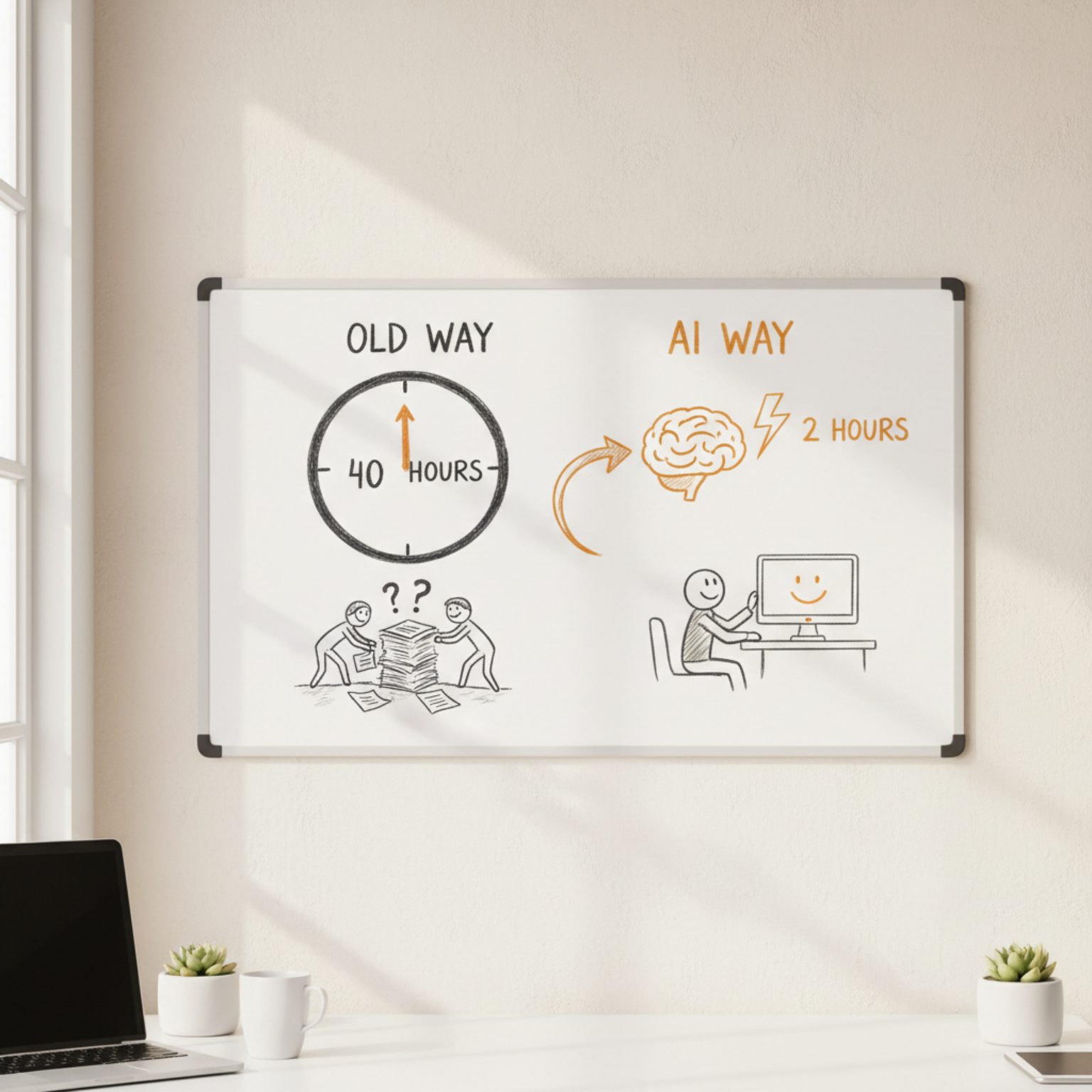
My first AI-specific lead came from a boutique law firm looking to summarize hundreds of legal depositions. They were not looking for a writer. They were looking for a way to save 40 hours of partner time per week. By positioning myself as an AI specialist, I was able to charge based on the time saved rather than the words written.
Identifying High-Demand AI Services for 2024
The AI market has moved past the initial curiosity phase. Businesses now demand measurable ROI from AI investments. Based on my project history over the last 12 months, three specific areas have the highest demand and lowest barrier to entry for solo operators.
Custom Knowledge Base Chatbots
Companies want chatbots that only answer questions based on their own internal documents. I use tools like Chatbase or CustomGPT.ai to build these. Clients are willing to pay between $800 and $2,500 for a setup that includes document cleaning and embedding. These bots are often used for internal HR manuals or customer-facing support.
AI-Enhanced Content Operations
This is not about generating one-off blog posts. It is about building a "Content Engine." I build workflows where a client drops a YouTube link into a Google Sheet, and a series of Make.com modules creates a blog post, three LinkedIn updates, and a newsletter draft. This service solves the problem of consistency for marketing teams.
Automated Lead Enrichment
Sales teams spend hours researching prospects on LinkedIn. I build tools using Clay and OpenAI to scrape website data and write personalized opening lines for cold emails. This is a high-ticket service because it directly impacts a client's revenue. I typically charge a setup fee plus a monthly maintenance fee for this work.
Setting Up Your Upwork Profile for AI Gigs
Your Upwork profile must reflect technical competence even if you do not write code. I removed all mentions of "passionate" or "creative" from my bio. Instead, I listed specific models I work with, such as Claude 3.5 Sonnet, GPT-4o, and Llama 3. I also listed the middleware that connects these models, specifically Zapier and Make.
I updated my portfolio with "Proof of Concept" screenshots. Since many AI projects are internal, I created dummy versions to show I could build the logic. For example, I built a personal "Tax Code Assistant" using a PDF of the IRS code. I took screenshots of the prompt logic and the accurate output. This proved I understood Retrieval-Augmented Generation (RAG) without violating previous client NDAs.
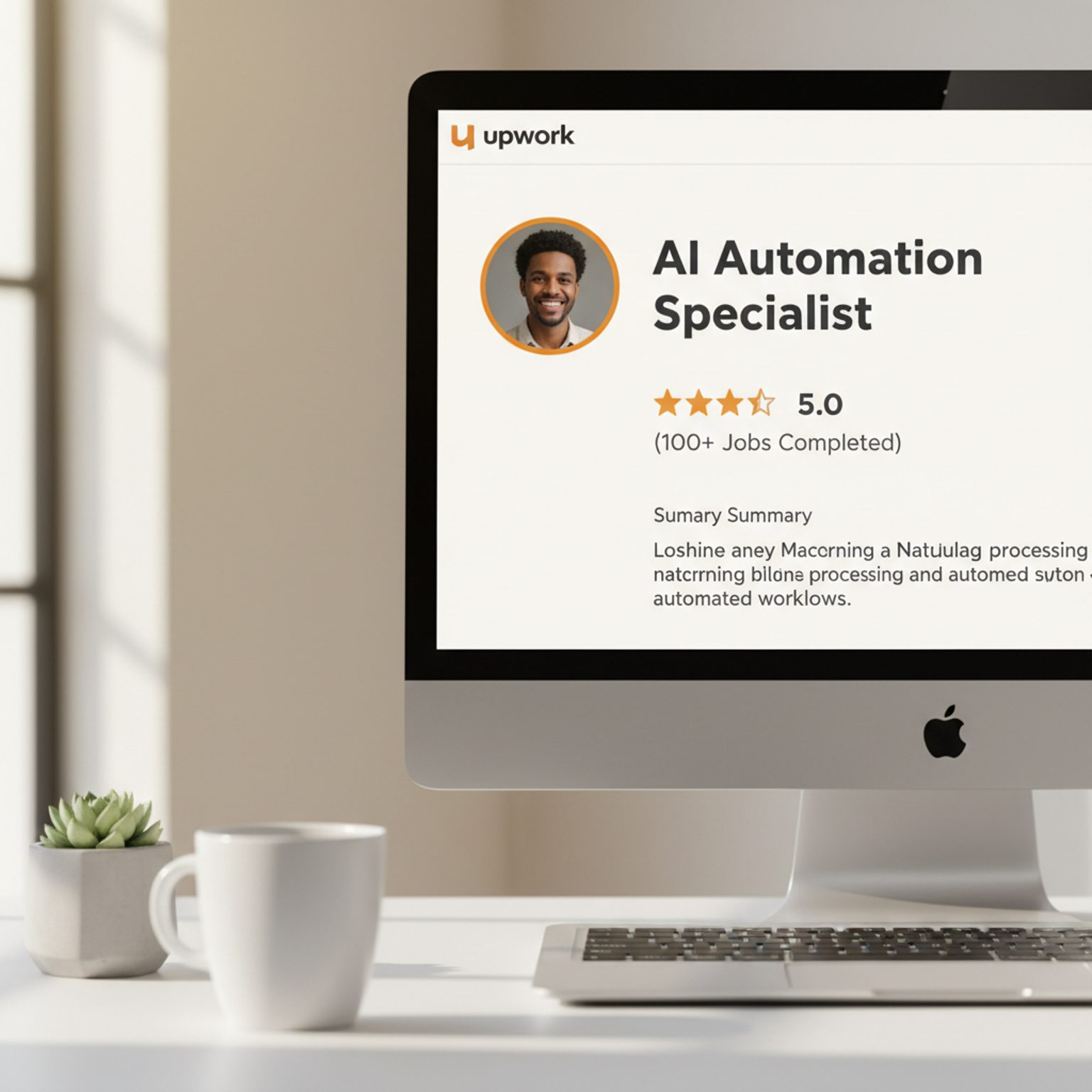
My profile headline currently reads: "AI Automation Specialist | Custom GPTs & Make.com Workflows." This is specific. It tells the client exactly what I use and what I do. I also set my hourly rate to $95. This acts as a filter. Clients looking for $20 per hour work are usually the most difficult to manage and have the least clear requirements.
I also added a "Consultation" offering to my profile. I charge $150 for a 30-minute discovery call. This ensures that I only speak with serious leads. If they hire me for a larger project later, I credit the $150 back to the project total. This professionalizes the relationship from the first minute.
Writing AI Proposals That Actually Get Interviews
Most freelancers use AI to write their Upwork proposals. This results in generic, polite, and useless text that clients ignore. I write my proposals manually and keep them under 150 words. I focus on the problem and the immediate next step.
I start every proposal with a specific observation about their job post. If they mention they are using Google Sheets, I mention a specific limitation of the GPT-for-Sheets extension and how I solve it. This proves I am a human who has actually done the work. I avoid saying "I am the best candidate." I say "I have built a similar system for a real estate firm that reduced their data entry by 70%."
I always end with a specific technical question. For example: "Are your source documents in PDF format or hosted on a Notion site?" This forces the client to think about the implementation. When they reply to the question, the "Interview" officially starts in Upwork's system, which boosts my profile visibility.
Here is a template for an AI automation proposal that has a 40% response rate for me: "Hi [Name], I saw you are looking to automate your customer support tickets using OpenAI. I recently built a similar workflow using Make.com and Zendesk that categorized tickets with 92% accuracy before sending them to a human. One thing to consider is how you handle images or attachments in those tickets, as the API costs can spike there. Do you have a sense of your monthly ticket volume currently? I can show you the logic of my previous build if you are interested. Best, [My Name]."
My $4,200 Project Breakdown: Step by Step
In October 2023, I landed a project for a mid-sized e-commerce brand. They had over 2,000 product reviews across multiple platforms. They needed a way to analyze sentiment, identify recurring product flaws, and generate responses. This was a fixed-price project totaling $4,200. It took me 22 hours of total work over three weeks.
| Phase | Tasks | Hours | Cost |
|---|---|---|---|
| Discovery & Audit | Mapping data sources and API access | 3 | $600 |
| Infrastructure | Setting up Make.com and Airtable base | 5 | $1,000 |
| Prompt Engineering | Testing system prompts for sentiment | 6 | $1,200 |
| Integration | Connecting Shopify and Yotpo APIs | 4 | $800 |
| Testing & Handover | Documentation and Loom recordings | 4 | $600 |
Step 1: The Audit
I began by reviewing their existing data. They were manually copying reviews into an Excel sheet. I spent three hours identifying which platforms had accessible APIs. This is a critical step because if you cannot get the data out, you cannot use AI to process it.
Step 2: Building the Logic
I used Make.com as the "brain." I created a scenario where every new review triggered a call to the OpenAI API. I didn't just ask for a summary. I created a structured JSON output that categorized the review by "Shipping," "Quality," or "Size." This allowed the client to see exactly why people were unhappy in an Airtable dashboard.
Step 3: Response Generation
I built a "Human-in-the-loop" system. The AI would draft a response based on the review's tone. However, the response stayed in a "Draft" column in Airtable. A staff member would click a checkbox to approve and send it. This mitigated the risk of the AI "hallucinating" or being rude to customers.
Step 4: Refinement and Handover
The last phase was showing the client how to update the system. I recorded five Loom videos explaining the Make.com logic. I also set up an error handling branch in the workflow. If the API failed, it sent a Slack notification to the client. This ensured the project was robust enough to survive without me.
AI Service Pricing Strategies: Value vs Hourly
Pricing is where most AI freelancers fail. If you charge $50 an hour, and you use AI to do 10 hours of work in 1 hour, you are effectively penalizing yourself for being efficient. I use a hybrid model: hourly for discovery and fixed-price for implementation.
Fixed-price projects should be based on "Value-Based Pricing." I ask the client: "What is the cost of not solving this problem?" For the e-commerce client, they were paying a junior staffer $3,000 a month to manage reviews poorly. My $4,200 one-time fee saved them $36,000 a year. Suddenly, $4,200 looked like a bargain.
For ongoing work, I suggest a "Capacity-Based" retainer. Instead of selling hours, I sell a certain number of workflow updates or "AI credits." This allows me to benefit from my own speed. If I have built a library of prompt templates, I can deploy a solution in 30 minutes that might have taken me 5 hours a year ago.
I also include "API Pass-Through" in my contracts. I never pay for the client's OpenAI or Zapier subscriptions. I require the client to provide their own API keys. This prevents me from having fluctuating costs and ensures that if the project ends, the client still owns the infrastructure.
Common Mistakes to Avoid in AI Freelancing
The biggest mistake I made early on was "Over-Engineering." I tried to build complex multi-agent systems using AutoGPT or complicated Python scripts. I realized quickly that clients want reliability over sophistication. A simple, well-tested Zapier sequence is worth more than a fragile custom script that breaks every time the API updates.
Another mistake is ignoring "Prompt Injection" risks. I once built a public-facing chatbot for a client that could be manipulated into giving away free discount codes. I had to learn how to build "guardrails" into my prompts. Now, I always include a step that validates the AI's output against a set of rules before the user sees it.
Failing to document the "Human-in-the-loop" requirement is also a common pitfall. I once promised a client 100% automation. When the AI made a mistake on a high-value customer's email, the client was furious. I now state in every contract that AI is a "Co-pilot" and requires human oversight for final outputs. This manages expectations and protects my reputation.
Finally, do not underestimate the "Data Cleaning" phase. AI is only as good as the data it receives. I often find that 50% of my project time is spent fixing a client's messy CSV files or broken database entries. I now include a "Data Readiness Assessment" as a mandatory first step in any project.
Essential Tech Stack for Solo AI Operators
You do not need to be a full-stack developer to earn money in AI freelancing. You need to be an "Orchestrator." My tech stack is focused on tools that have high reliability and great documentation. I avoid "Beta" tools that lack a stable API.
- OpenAI API & Claude API: These are the core engines. I use Claude 3.5 Sonnet for coding and complex reasoning, and GPT-4o for general tasks and vision.
- Make.com: This is my primary automation platform. It is more flexible and cheaper than Zapier for complex logic. I use it to connect different APIs.
- Airtable: This serves as the "database" for most of my projects. It is easy for clients to understand and has a great native integration with AI.
- Cursor: This is an AI-powered code editor. Even though I am not a developer, Cursor allows me to write small Python scripts or CSS for client dashboards by describing what I need.
- Perplexity AI: I use this for real-time research. It saves me hours of searching through documentation or looking for technical solutions on Stack Overflow.
I also use a tool called "PromptPerfect" to optimize my system prompts. This ensures I am getting the highest quality output for the lowest token cost. Token management is important for long-term project profitability. If a prompt is 2,000 words long but can be condensed to 500 words, I save the client money on every run.
Building Long Term Retainers with AI Maintenance
The most profitable part of my business is not the initial build. It is the "Maintenance and Optimization" retainer. AI models change. OpenAI releases new versions. Prompt drift happens. Clients need someone to ensure their systems continue to work as expected.
I offer a $500 to $1,500 monthly retainer depending on the complexity of the system. This covers:
- Weekly logs review to check for AI hallucinations.
- Prompt updates when new models are released.
- API cost monitoring and optimization.
- One small workflow improvement per month.
These retainers are "High Margin" because if I have built the system correctly, maintenance only takes 2 to 3 hours a month. It provides the client with peace of mind. They know that if their automation breaks on a Tuesday morning, I will be there to fix it. This turns a one-time project into a predictable stream of income.
I always pitch the retainer during the handover call. I explain that the AI landscape moves so fast that a system built today will be outdated in six months. Most clients who have invested $4,000 in a build are happy to pay a few hundred dollars to protect that investment.
Next Steps for Your First AI Client
To get started, do not wait for a job post to appear. Look at your existing skills and ask how AI makes them 10 times faster. If you are a social media manager, build an AI tool that turns one podcast episode into 20 LinkedIn posts. If you are a bookkeeper, build a tool that categorizes receipts using vision AI.
Once you have a working prototype, record a video of yourself using it. Post this video on LinkedIn and in your Upwork portfolio. Show the "Before" and "After." People do not buy "AI." They buy "Saved Time" or "Increased Revenue." Your marketing should reflect that reality.
Honest Limitations and Risks
AI freelancing is not a "passive income" scheme. It requires constant learning. A tool that is industry-standard today might be obsolete in three months. There are also significant legal and ethical risks. You must be transparent with clients about where their data is going. If you use a client's sensitive data to train a model without permission, you could face legal action. Always use "Zero Data Retention" APIs when working with sensitive information.
Disclosure
I am a solo operator who uses AI tools to assist in research, outlining, and drafting sections of my work. This article was developed using my real financial data and project history, with AI assisting in the structure and formatting of the content. Every word has been reviewed and edited by me to ensure accuracy and adherence to my personal experience.
The path to $4,000+ projects on Upwork is not about being the best programmer. It is about being the person who can bridge the gap between a business problem and an AI solution. Start small, build transparent systems, and focus on the ROI you provide to the client. The demand for these skills is only growing as the "AI hype" turns into a requirement for business survival.
Frequently asked questions
What is the most profitable AI service to sell?
Custom internal AI agents and automated lead qualification systems are currently the most profitable. Businesses value these because they directly impact the bottom line by reducing manual labor costs. I typically price these projects between $1,500 and $5,000 depending on the complexity of the integrations required with their existing CRM.
Do I need to be a coder to start AI freelancing?
No, you do not need to be a software engineer, but you must understand logic and API structures. Tools like Relevance AI and Flowise allow you to build sophisticated applications visually. However, knowing basic Python helps you troubleshoot when pre-built connectors fail or when a client needs a custom script.
How should I price my AI services?
Avoid hourly billing because AI tools allow you to work faster, which effectively penalizes your efficiency. Use milestone-based pricing. For example, charge $500 for the discovery and architecture phase, then $2,000 for the build. This ensures you are paid for the value delivered rather than the minutes spent typing.
What tools are essential for an AI freelancer?
Your core stack should include OpenAI for intelligence, Make.com for automation, and Airtable for data management. For client communication and project management, I use Trello and Slack. You should also have a subscription to a vector database like Pinecone if you plan on building custom knowledge-base chatbots for clients.
How do I win my first AI gig on Upwork?
Stop sending generic templates. Instead, record a 2-minute Loom video explaining exactly how you would solve the client's specific problem using AI. Show a small proof of concept if possible. Clients are often overwhelmed by AI hype and will hire the person who clearly demonstrates a practical, working solution.
Keep reading

AI Evals as a Service: How I Charge $3,000 to Stop Client AI Features Breaking
Most teams ship an AI feature and then have no way to know when it breaks. Here is the eval suite I build in four weeks for $3,000, the retainer that follows it, and what nine engagements actually revealed.
August 8, 2026 · 2,335 words

Agentic Commerce: How I Charge $2,200 to Make Stores Buyable by AI Agents
AI shopping agents now research and check out on customers' behalf. Here is the audit I sell for $2,200, the four things that break on almost every store, and what the numbers actually looked like.
August 7, 2026 · 2,151 words

Computer-Use AI Agents: How I Charge $2,800 to Kill Back-Office Data Entry
Computer-use agents operate screens that have no API, which finally makes the ugliest back-office typing jobs sellable. Here is the exact offer, the five-day build, the numbers from four live clients, and the failures nobody puts in a case study.
August 6, 2026 · 2,414 words